---
name: next
summary: "Fusion Next (@alifd/next) is Alibaba's enterprise-class React UI component library built around a design-system collaboration workflow, letting designers customize component themes and ship them as npm packages that developers consume without manual UI rework."
language: TypeScript
license: MIT
repo: https://github.com/alibaba-fusion/next
source: https://opensources.dev/resource/next
health: 100
---
# next
Fusion Next (@alifd/next) is Alibaba's enterprise-class React UI component library built around a design-system collaboration workflow, letting designers customize component themes and ship them as npm packages that developers consume without manual UI rework.
English | [简体中文](./README.zh-cn.md)
---
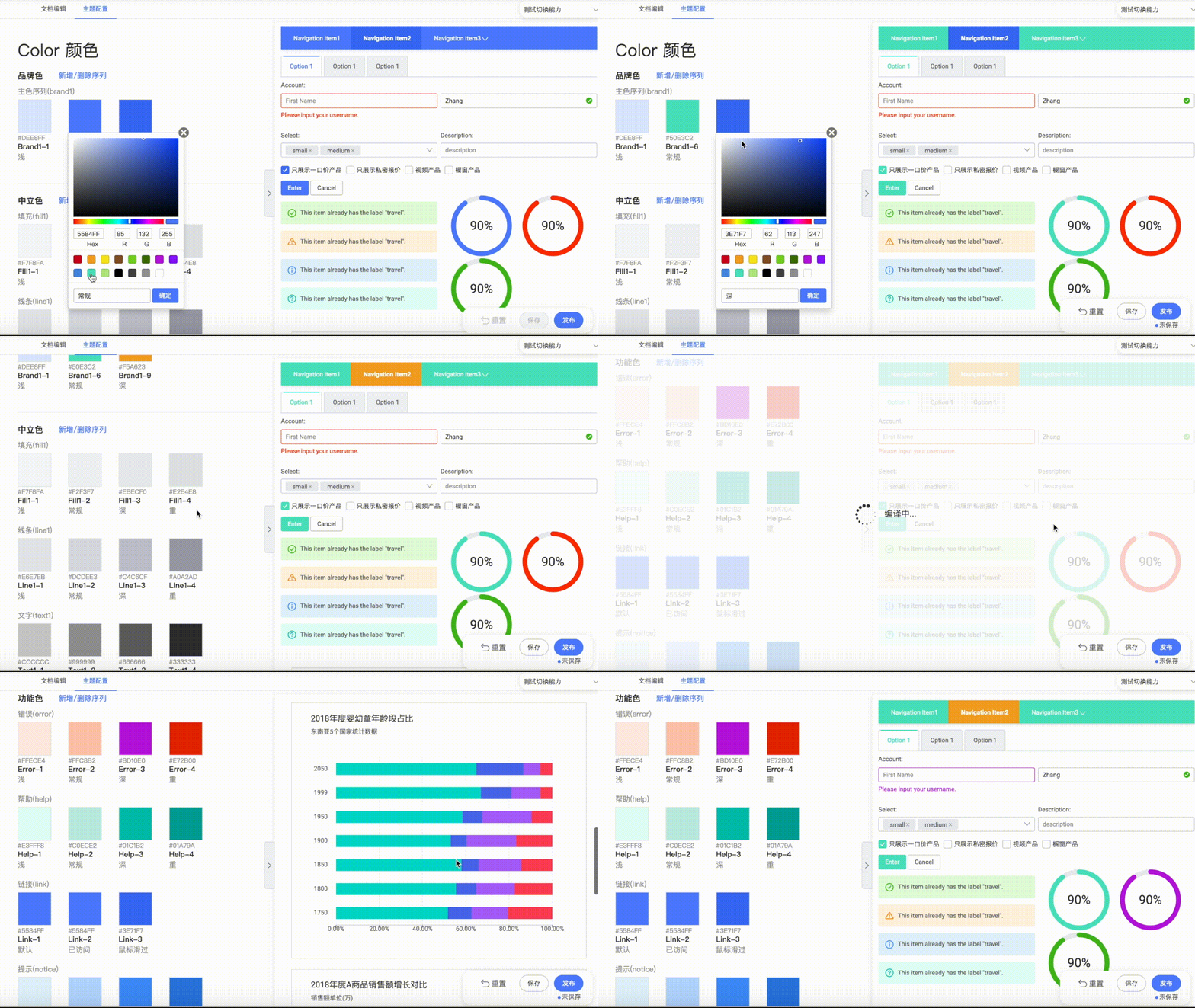
You can customize your own DesignSystem via [Collaboration Platform](https://fusion.design).💖 Designers will receive design materials by [Fusion Cool](https://fusion.design/tool?from=github) - an easy to use plugin on sketch. Developers will get code fragment on [IceWorks](https://fusion.design/tool?from=github). At the same time, the consistency between code and visual manuscript is guaranteed. 😍
# 🤔 Why use
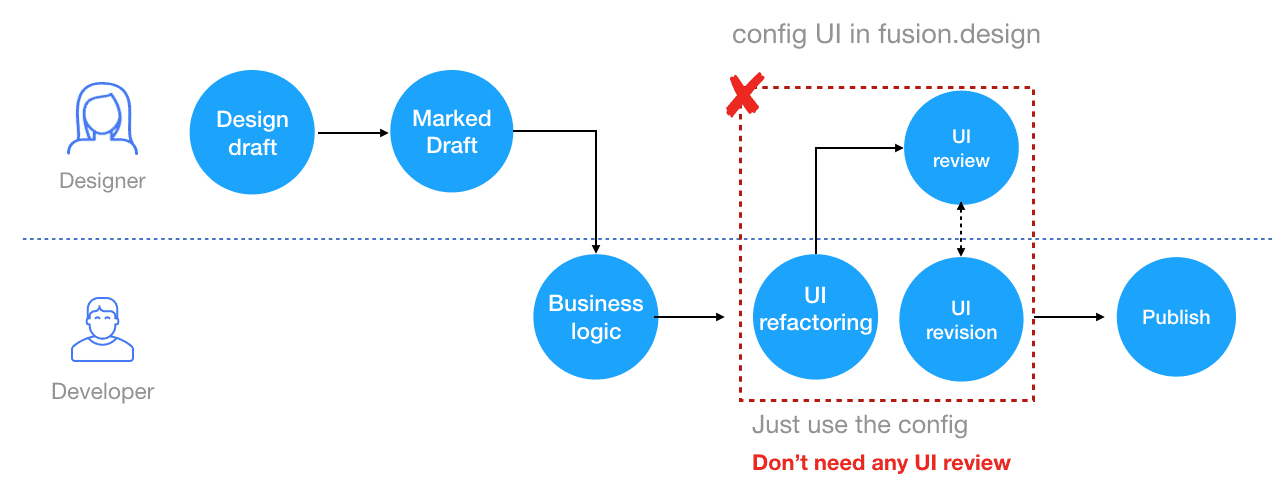
`@alifd/next` usually used with [Fusion Design](https://fusion.design) to improving designer-developer collaboration and development efficiency. Designer can customize the UI of components and release an npm theme package. Developer can use this theme package directly, and don't need to care about the UI refactoring. It saves the workload of reductive degree review repeatedly with designers, and greatly improves the development efficiency.
# 💻 Browser Compatibility
✔✔✔9+ ✔✔✔✔
# 🚀 Quick Start
## 🛠 Install
### 1.Use NPM ( Recommend )
```tsx
npm install @alifd/next --save
```
### 2.Import in Browser
Use the script and link tags in the browser to directly import the file and use the global variable Next. We provide files such as next.js/next.min.js and next.css/next.min.css in the `@alifd/next/dist` directory in the npm package, or via [unpkg](https://unpkg.com/@alifd/next/dist/) Download it.
```html
// The above ways import latest @alifd/next, we recommend you specify version.
// Or import as your own static resource
```
## ☔️ Dependencies
- `@alifd/next` is based on `react@16` development and is currently not compatible with versions below `react@16`. react/react-dom is used as peerDependencies, which requires the user to manually install or import it.
- `@alifd/next` use [moment](https://github.com/moment/moment) library to implement date-time related component. moment is also used as peerDependencies, which requires the user to manually install or import it.
## 🎯 Import
### Import All
```js
import '@alifd/next/dist/next.css';
// import '@alifd/next/index.scss';
import { Button, Input } from '@alifd/next';
```
### Import module with plugin
### 1. Import module manually
```js
import Button from '@alifd/next/lib/button';
import '@alifd/next/lib/button/style';
```
### 2. Use with [babel-plugin-import](https://github.com/ant-design/babel-plugin-import) ( Recommend )
```js
// webpack babel loader option or .babelrc
{
// ...
plugins: [
[
'import',
{
libraryName: '@alifd/next',
style: true,
},
],
];
}
```
It will transform code as below
```js
import { Button } from '@alifd/next';
```
To
```js
import Button from '@alifd/next/lib/button';
import '@alifd/next/lib/button/style';
```
## 🔗 Advanced
- [Use with Theme Package](./site/en-us/theme.md)
- [Internationalization](./site/en-us/i18n.md)
- [Deploy Font File](./site/en-us/font-deploy.md)
## 🌈 Contributing
Use Gitpod, a free online dev environment for GitHub.
[](https://gitpod.io/#https://github.com/alibaba-fusion/next)
Or clone locally:
- [Contributing](./site/en-us/contributing.md)
## 📣 Join Group
Use [Dingtalk App](https://www.dingtalk.com/en) scan the Qrcode to join in *Dingtalk Group* :